Open and edit a live website in Microsoft Expression Web 3 and Microsoft Expression Web 4
1. Launch Expression Web.
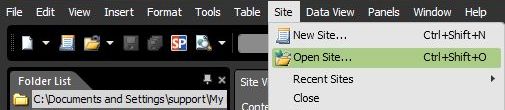
2. Go to Site > Open Site….
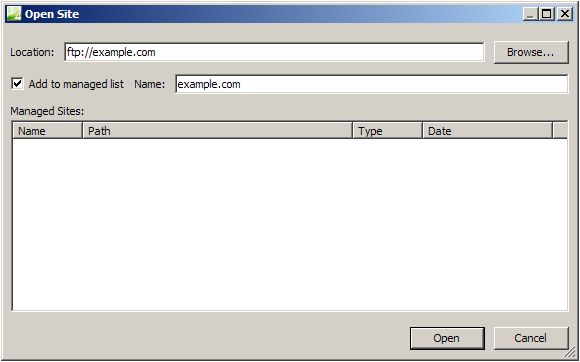
3. In the Open Site dialog box, enter the domain name of your hosting account by including the ftp:// prefix (if your domain name is example.com, type ftp://example.com).
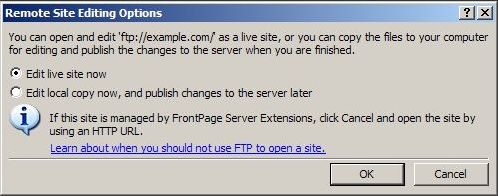
4. Expression Web will display the Remote Site Editing Options window to ask you if you want to edit the site live or edit a local copy on your hard drive. Choose Edit live site now, and click OK.
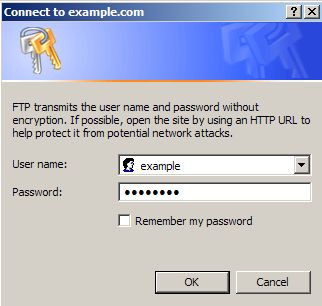
5. In the User and Password fields enter your Control Panel username and password. In case you want to connect with an FTP subuser you previously created at your FTP Manager Control Panel section, you need to specify the login details for that particular user.
6. The Folder List panel will now show the contents of /www/www - the default root directory for your domain.
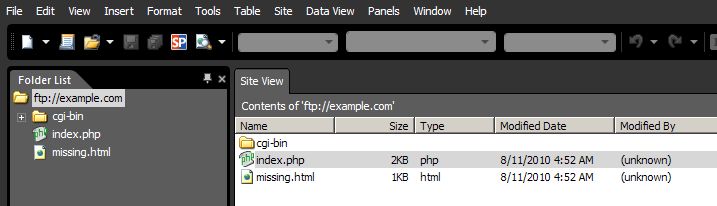 7. To open a file for editing, double-click on its name. To publish the changes, go to File > Save.