Password protection
Protecting Directories With a Password
To password-protect a directory:
- Go to the Protection section.
- Click Enable next to the directory you want to secure.
- Click Add User to create login credentials.
Note: Directory protection is recursive - it will apply to all subdirectories as well.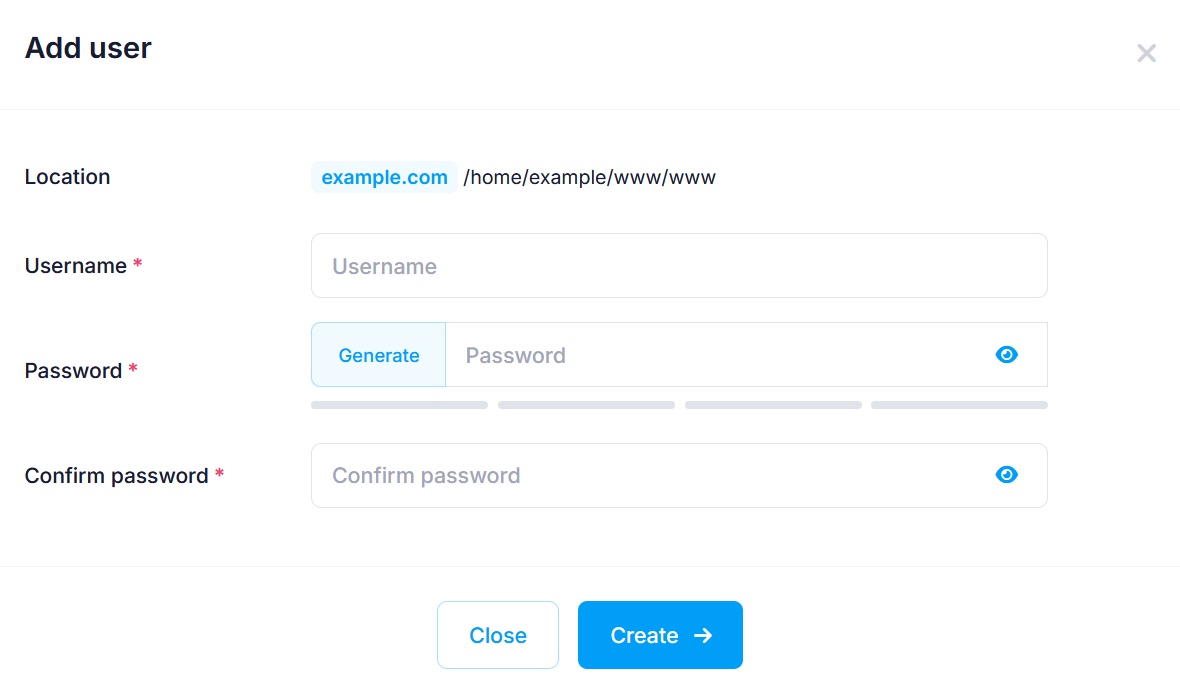
As you type your new password, a strength indicator below the field updates in real time. It shows one of four strength levels. You’ll also see tips and requirements in a red tooltip just below the indicator to help you create a stronger password.
For guidance, check our articles on:
To remove protection from a directory, simply delete all the users you’ve added for it.
Protecting the WordPress Dashboard (wp-login.php)
You can also secure the WordPress login page through the Protection section. The wp-login.php file is the entry point to your WordPress admin area. Adding an extra login layer helps protect against brute-force attacks.
If a directory contains a wp-login.php file, it will appear just below the subdirectories. To protect it:
- Navigate to the WordPress directory.
- Click on Enable next to wp-login.php.
- Click Add User to create login credentials.
Once protection is enabled, accessing your WordPress dashboard will require two logins:
- First, the Web Access Protection credentials.
- Then, your usual WordPress username and password.
You can also manage this feature from the WordPress Manager in the Hosting Control Panel. See our article on Improving WordPress security article.