Copying a mailbox from Yahoo
The Copy mailbox tool available in the Migration section of the Control Panel allows you to copy the contents of a local or remote mailbox to a local mailbox on your hosting account. In this article we will show you how to copy a mailbox from Yahoo.
Prepare your account at Yahoo
- Log in to the mailbox that you want to copy at https://mail.yahoo.com.
- Access the Account Security section of the Account Settings page at https://login.yahoo.com/myaccount/security/.
- On the Account Security page, find the App passwords section, and click on the Generate app password link.
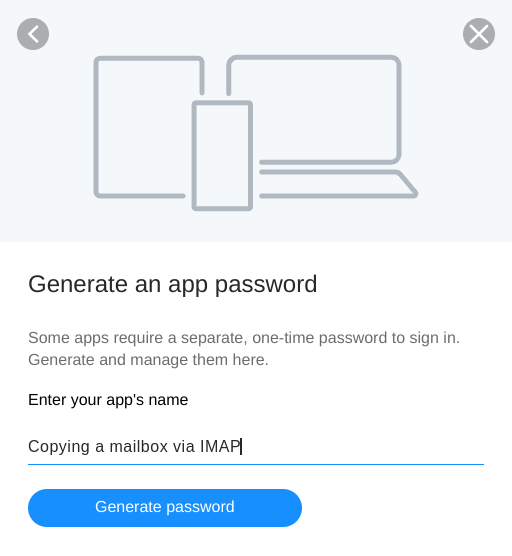
- On the next page, type a descriptive name for the app such as Copying a mailbox via IMAP.
- Click Generate password, and copy/save the password somewhere safe as you will need it.
Copy the mailbox via the hosting Control Panel
- Log in to your hosting Control Panel, and go to the Copy mailbox subsection of the Migration section.
Note: If the local mailbox is with an addon domain, make sure the correct domain is selected from the Domain drop-down menu in the Select a domain section. - Fill in the following details under Source IMAP account credentials:
• E-mail account: Type the full address of your mailbox at Yahoo, e.g. [email protected].
• Password: Type the password you got in step 5 above.
• Hostname: imap.mail.yahoo.com - Under Destination mailbox, choose the domain name and e-mail account from the Domain and E-mail account drop-down menus.
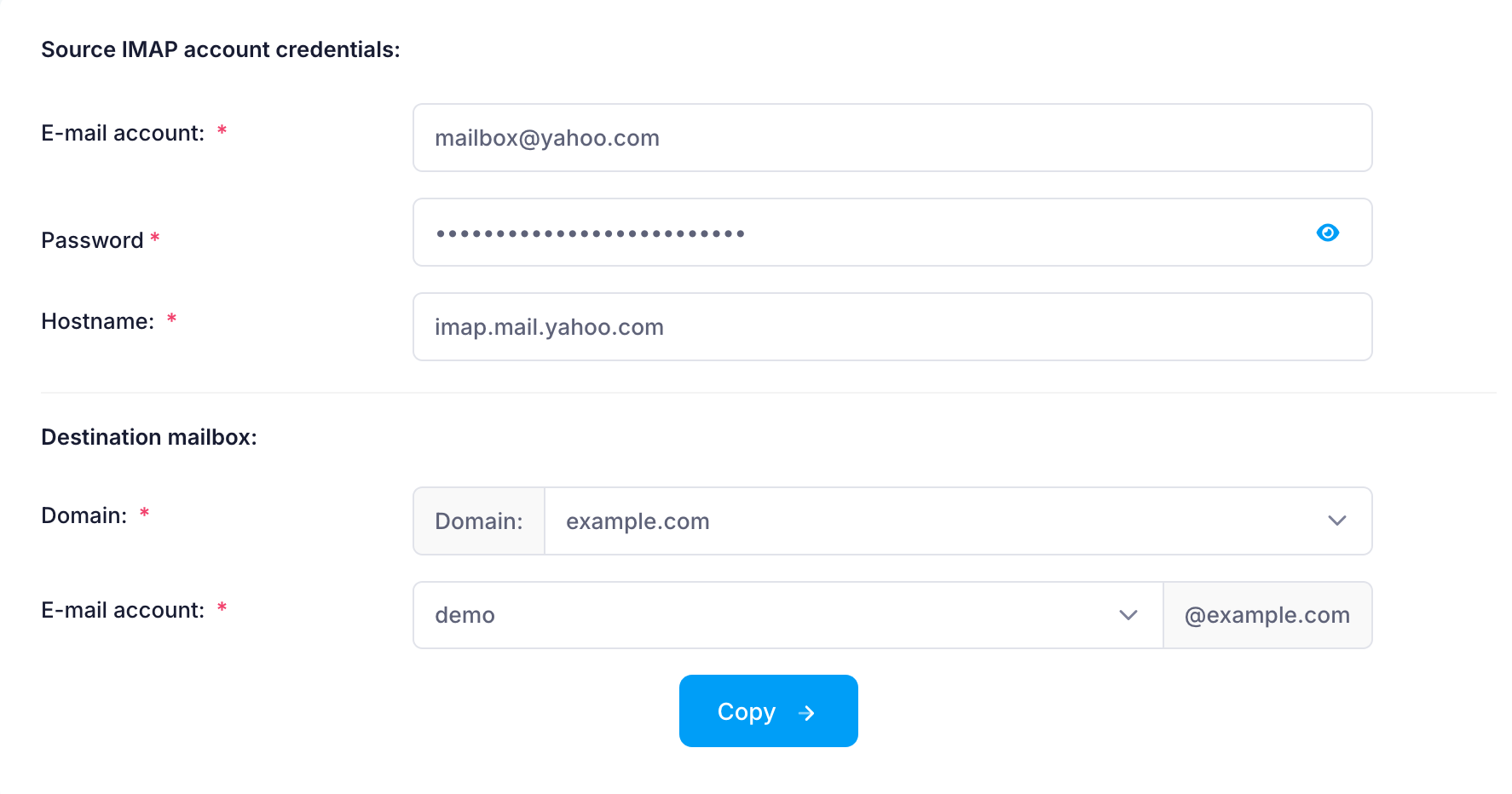
- Click on the Copy button, and allow some time for the process to complete.
A detailed log of each mailbox copy operation gets written in a directory called "imapsync" located in the /private directory of the hosting account.